PRODUCT DESIGN, WEB
LeiaPix Image Converter
Enhancing the User Experience for an AI-Powered Video Creation Tool
My Role
Design Strategy, Research, UX/UI Design, Wireframing, Prototyping, Usability Testing
Timeline
October - November, 2023
Overview
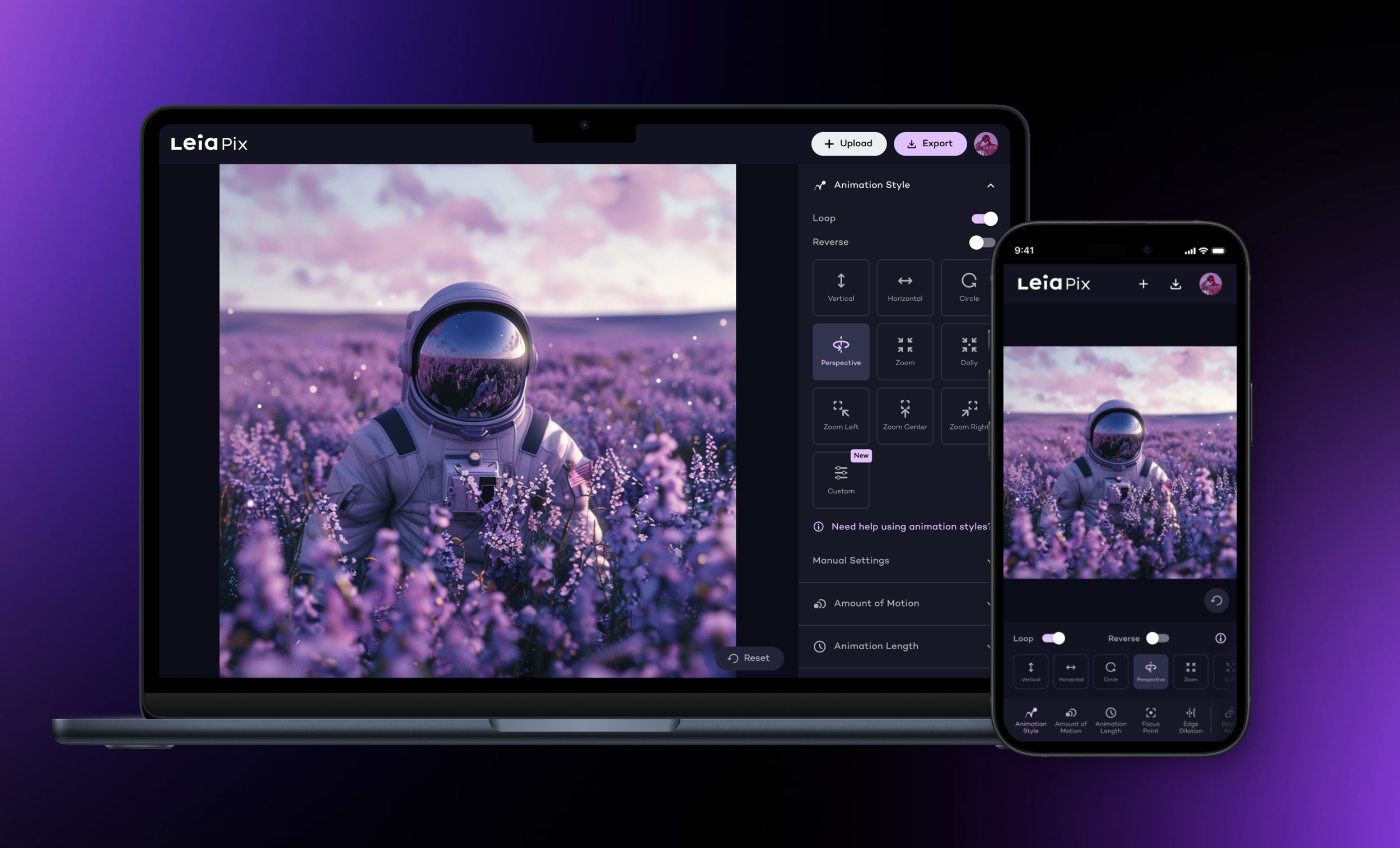
LeiaPix (immersity AI) is a web-based, AI-powered video creation tool used by over 3.5 million people worldwide. It's designed to transform 2D images into 3D depth animations. As the lead product designer, I collaborated with a cross-functional team of product managers and engineers to enhance the product's usability and interface design, and to brainstorm new features.
The Problem
Despite expanding its user base, LeiaPix faced challenges with user engagement and retention. The tool's interface was not intuitive, with limited features that could cater to both novice users and experienced creators. The complexity of the interface, coupled with a lack of guidance, resulted in user frustration.
What is LeiaPix used for?
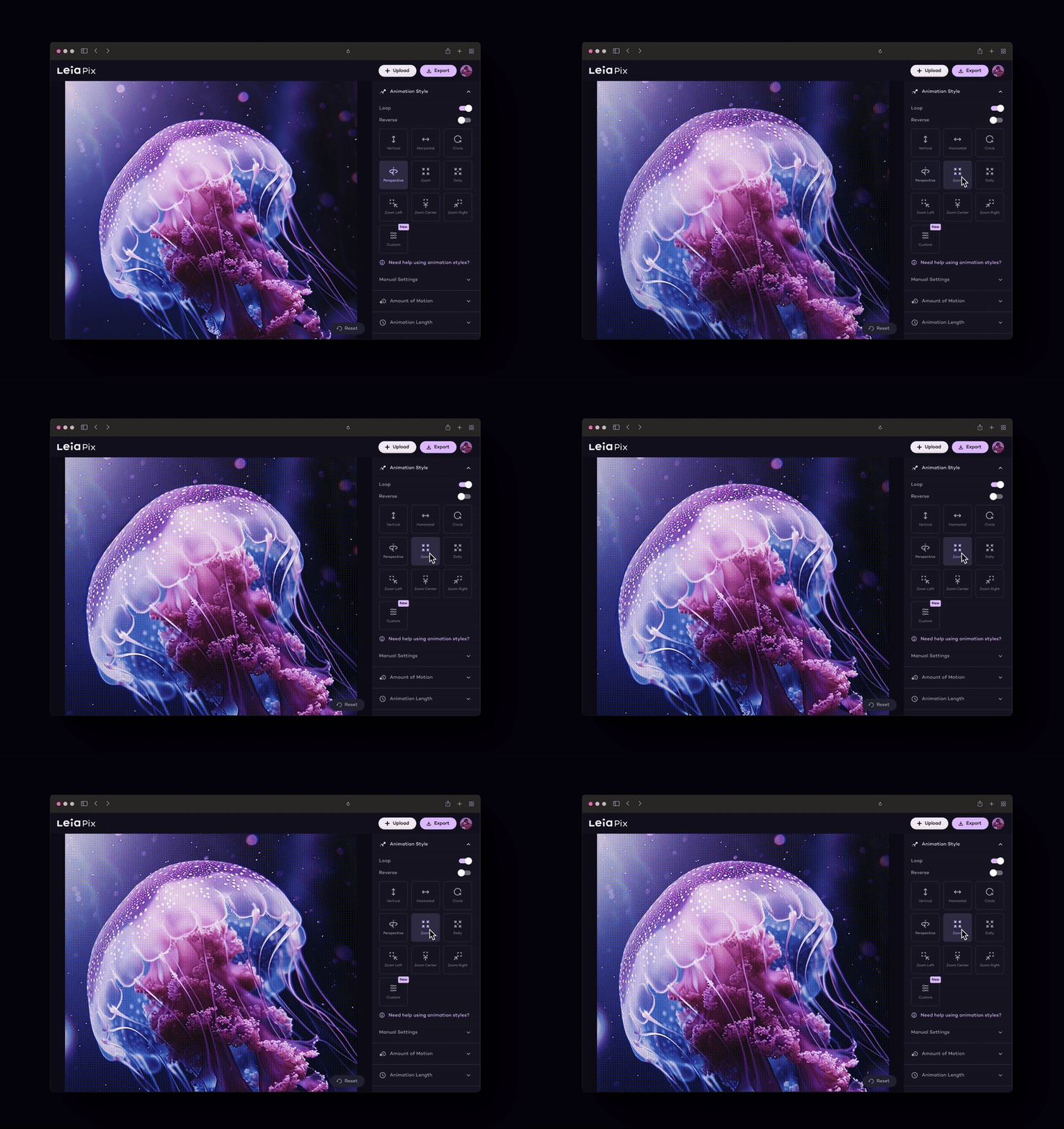
Converting 2D Content to 3D Animation
Users can use preset options or customize advanced settings to create 3D depth animations.
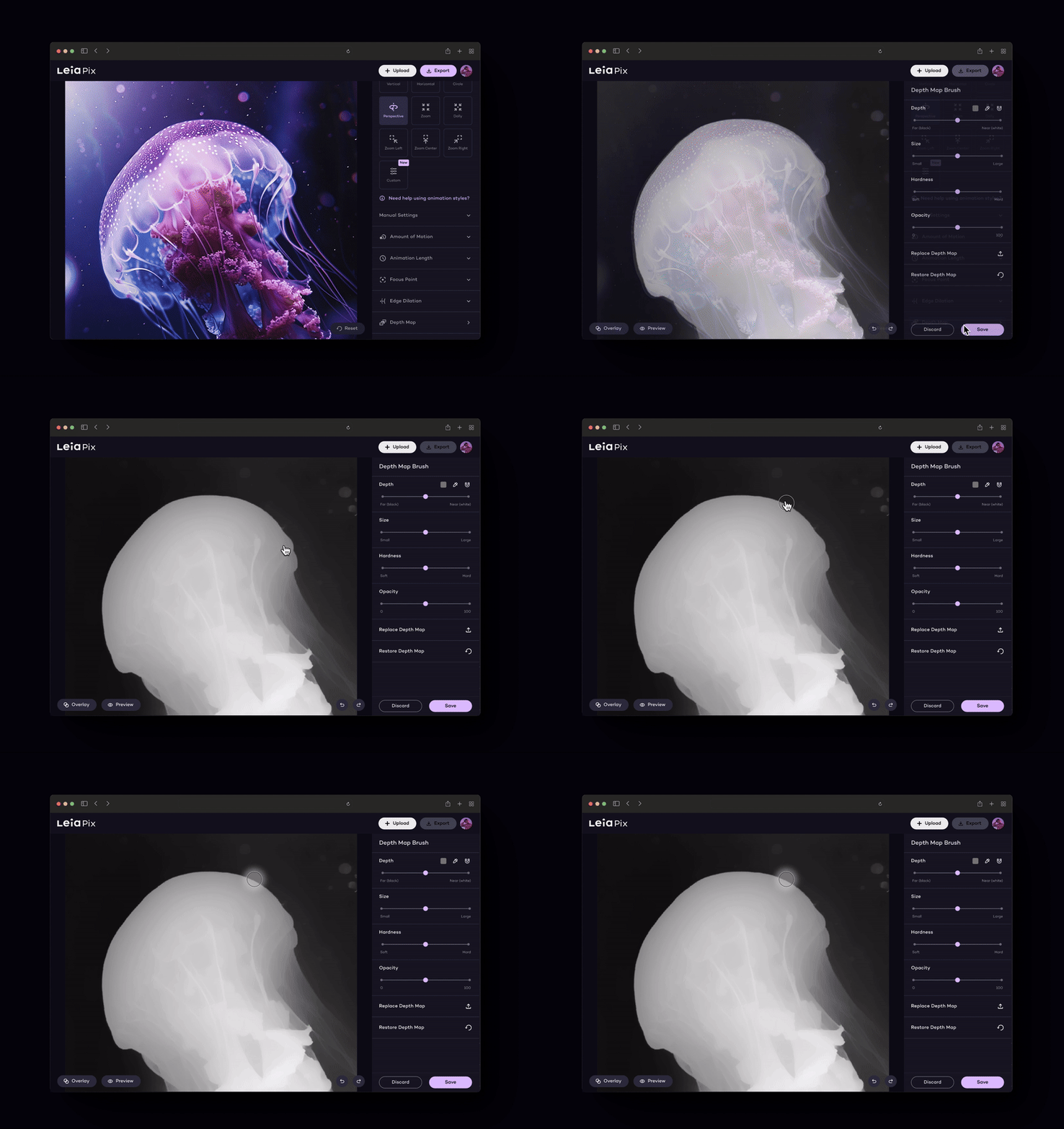
Depth Map Editing
LeiaPix enables users to generate and edit depth maps for precise adjustments and fine-tuning.
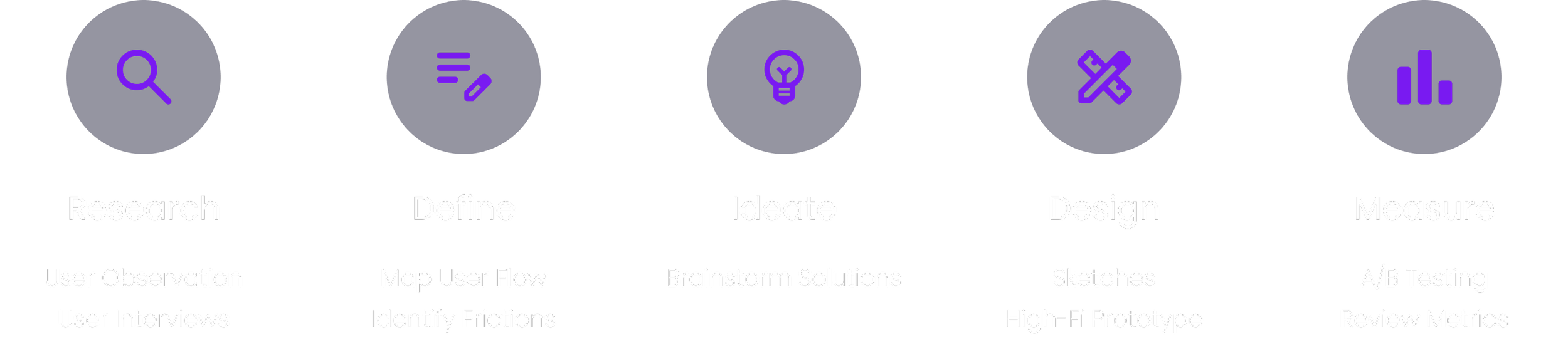
My Design Process
Identifying Existing Pain Points
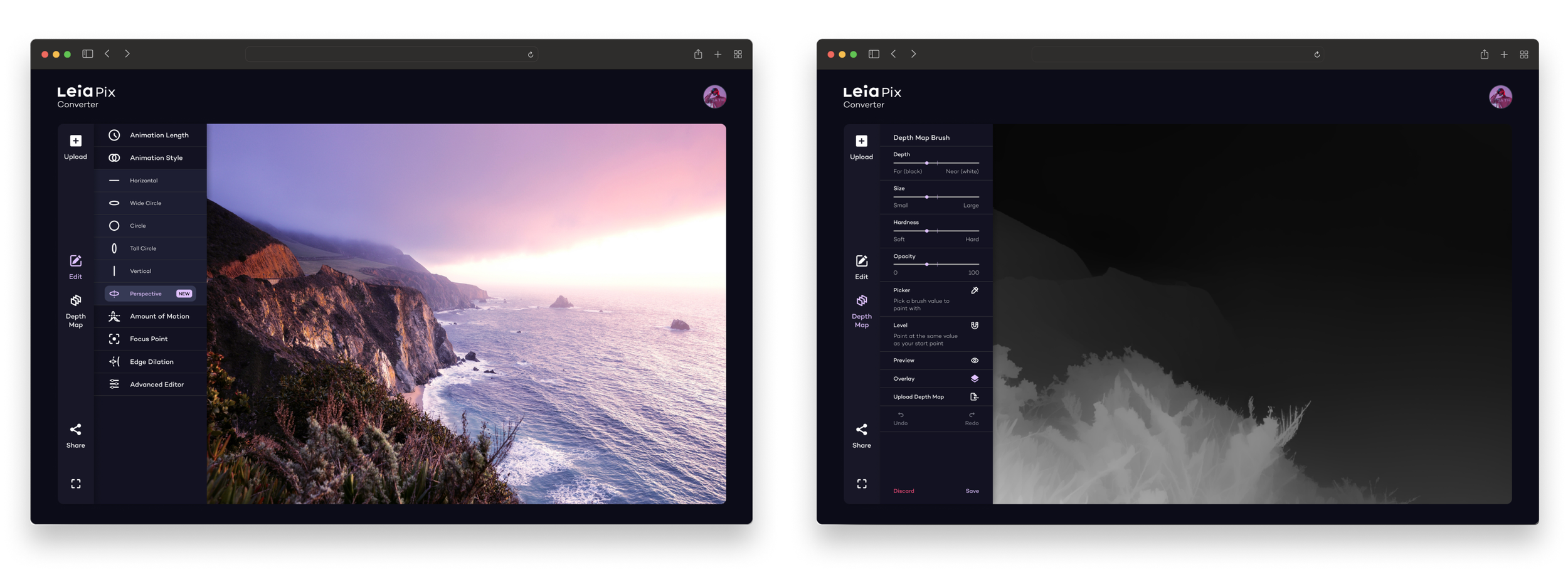
The Previous Animation and Depth Map Editor
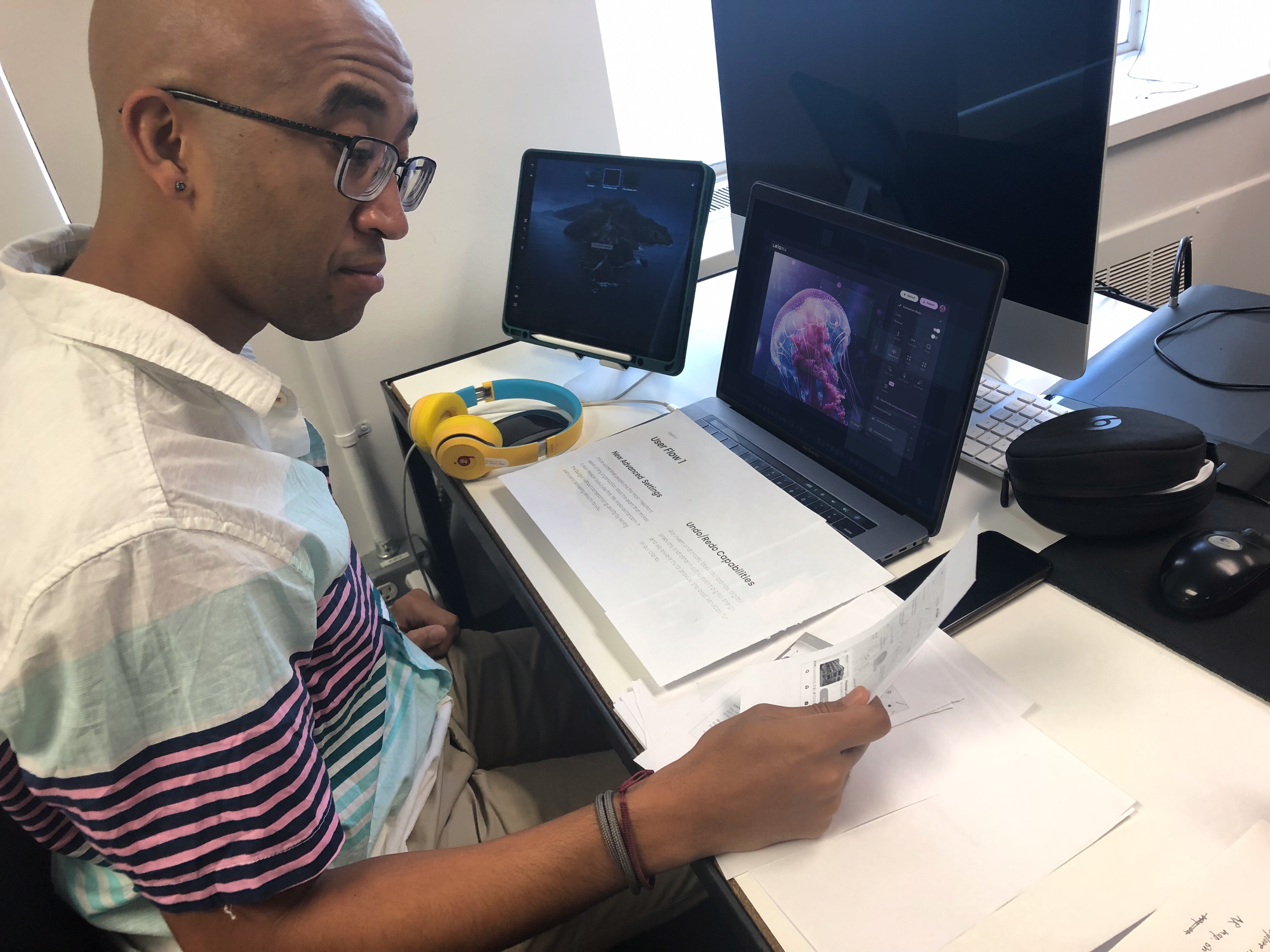
I began research by conducting usability tests on the current version of LeiaPix with 8 participants. Observing users as they navigated the editing process allowed us to identify points of confusion and frustration. We also gathered feedback on the app's features, including what users liked, what they found challenging, and what they believed was missing or could be improved.
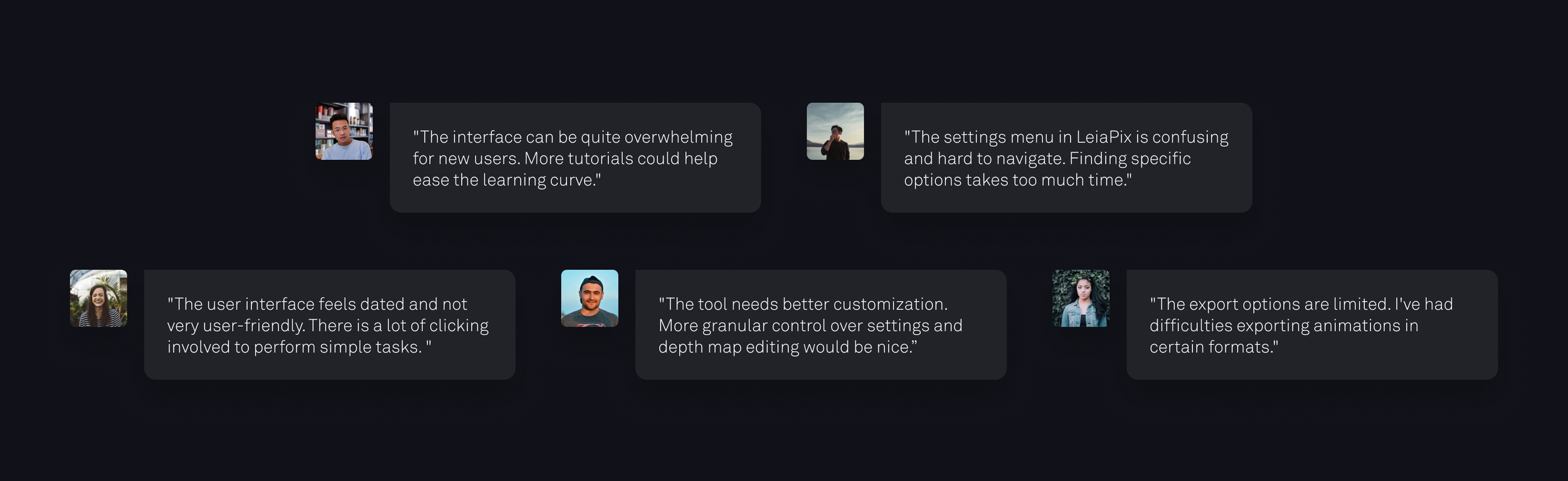
Feedback We Received from Users
Key Insights
New users were unfamiliar with most depth map tools, leading to intimidation.
Experienced creators were frustrated by the limitations in customization options.
Experienced creators wanted more detailed control over the depth map editing process.
The primary goal of creating depth animation is to share it on social media or showcase it on online platforms.
Defining User Needs
Most LeiaPix users are content creators, photographers, 3D enthusiasts, and digital artists. They use 3D animations for marketing, product images, and social media. They need tools that let them focus on their creativity without technical difficulties.
Setting Clear Design Objectives
Adopt a modern, visually appealing design that simplifies navigation.
Categorize and streamline features and tools, incorporating tooltips and guidance.
Optimize the exporting process, providing clear options for file formats and quality settings.
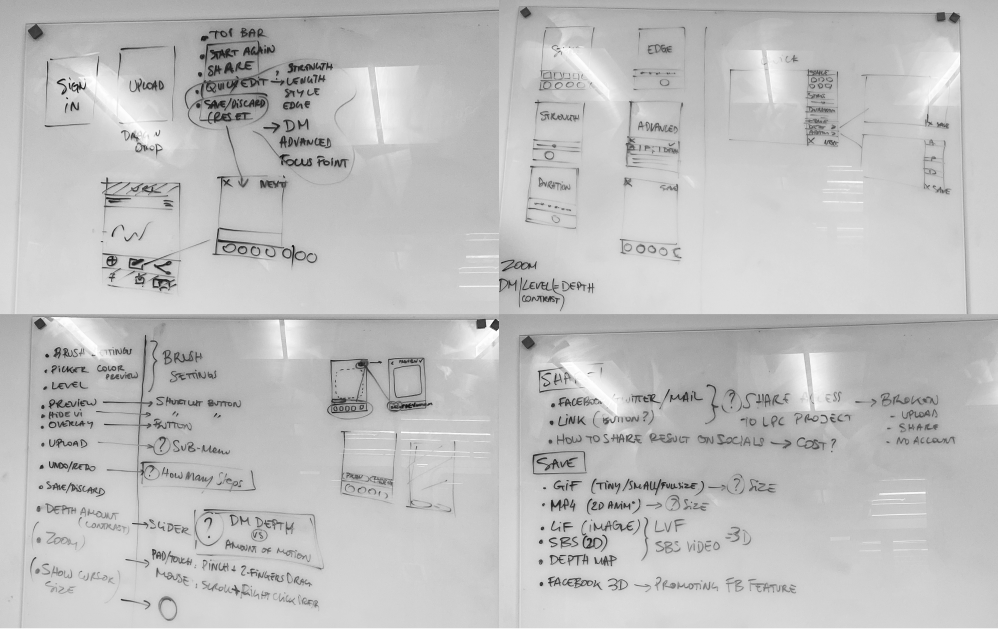
Wireframing

We began testing early and frequently, starting with wireframes and visual mockups as we iterated.
The final rounds of design were tested using functional prototypes built with the Foundation framework to minimize throwaway work.
Testing & Iterating
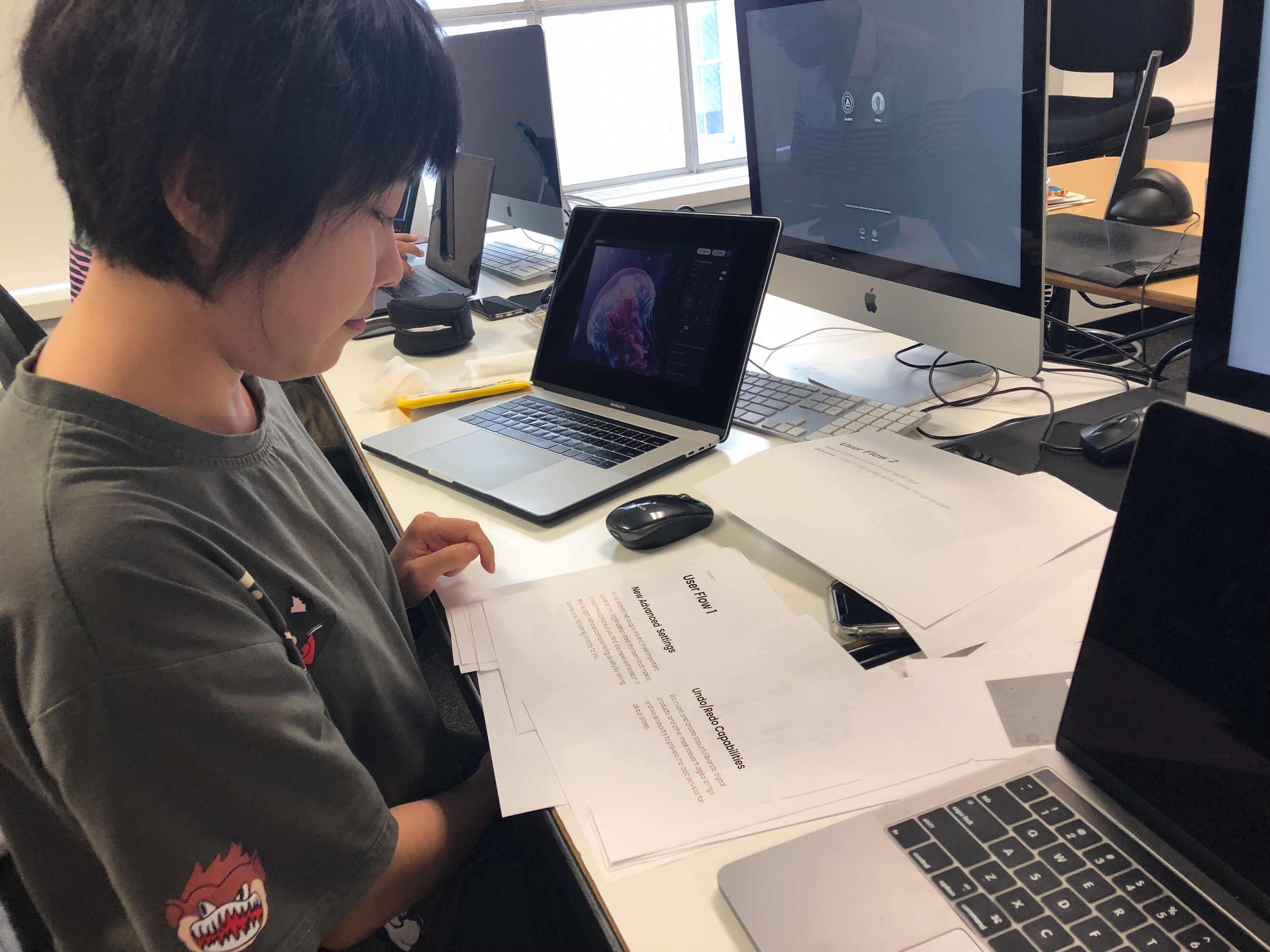
During the initial usability testing, issues with the new manual settings were identified, leading to confusion and frustration for users.
The Problem
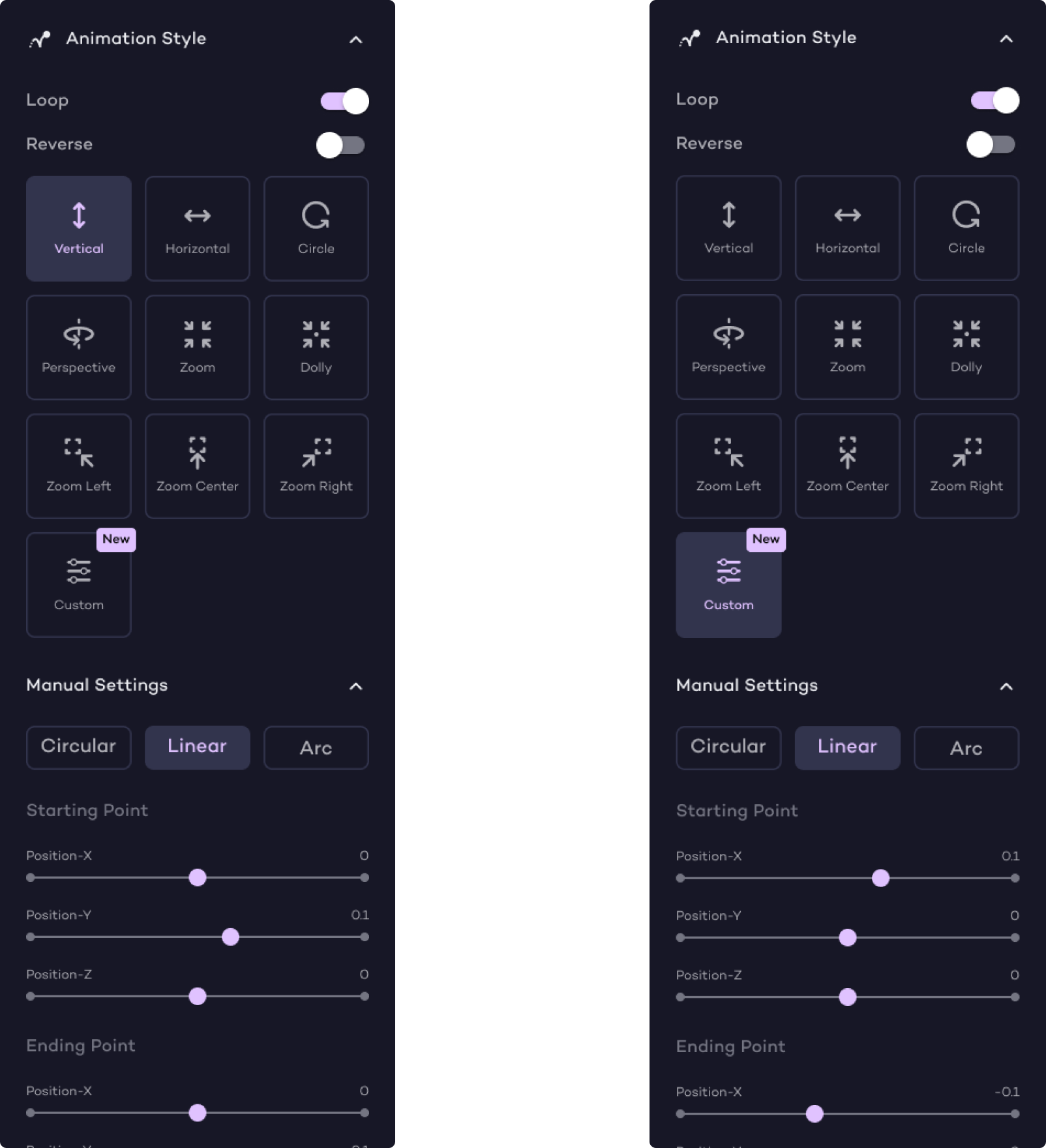
The mismatch between the selected animation style, slider movements, and the resulting animation caused user confusion.
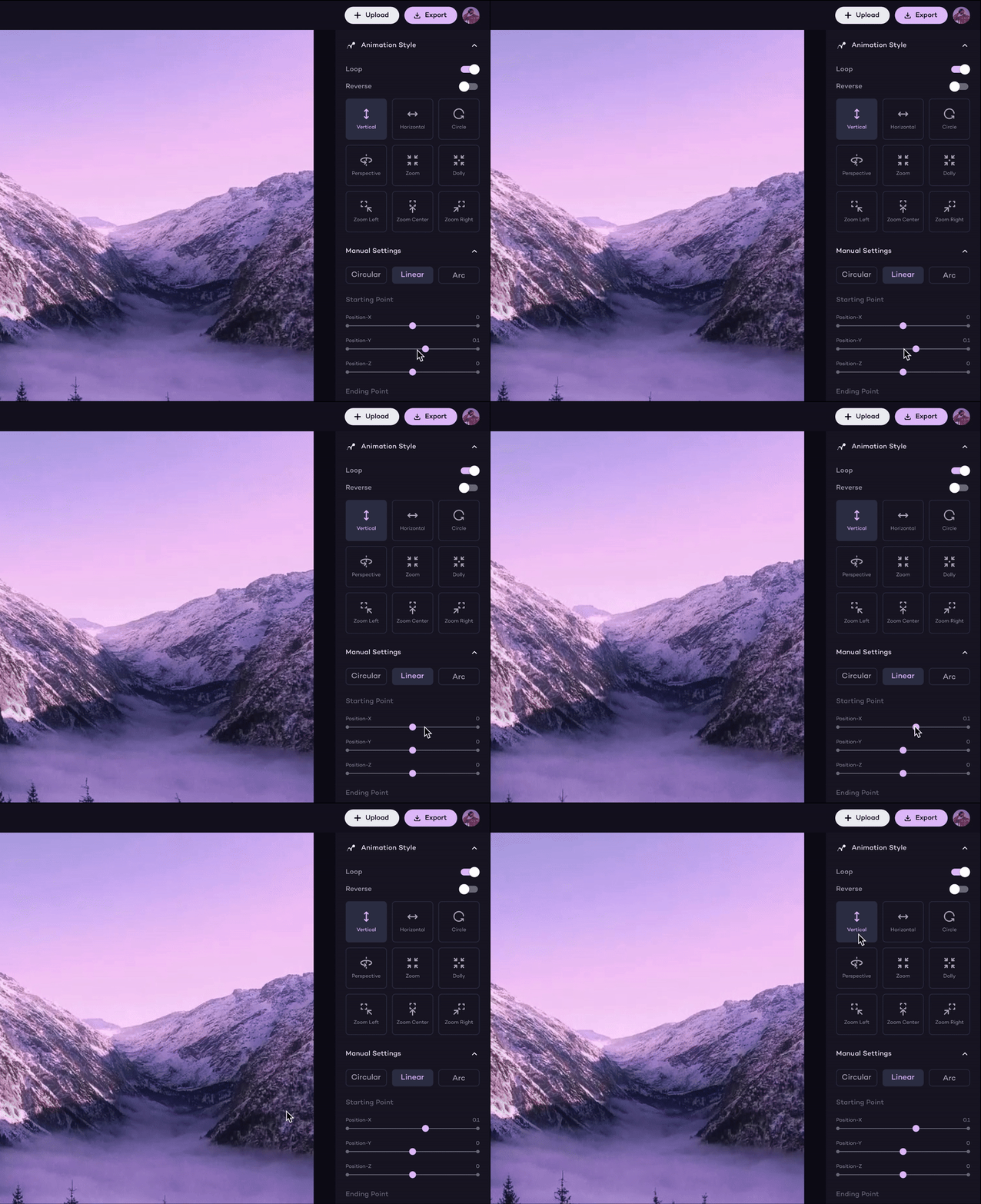
When users selected the 'Vertical' animation style, the Y-axis slider moved, showing vertical movement in the preview.
But if users then moved the X-axis slider, the preview showed horizontal movement. The selected animation style remained 'Vertical' even though the movement was now horizontal.
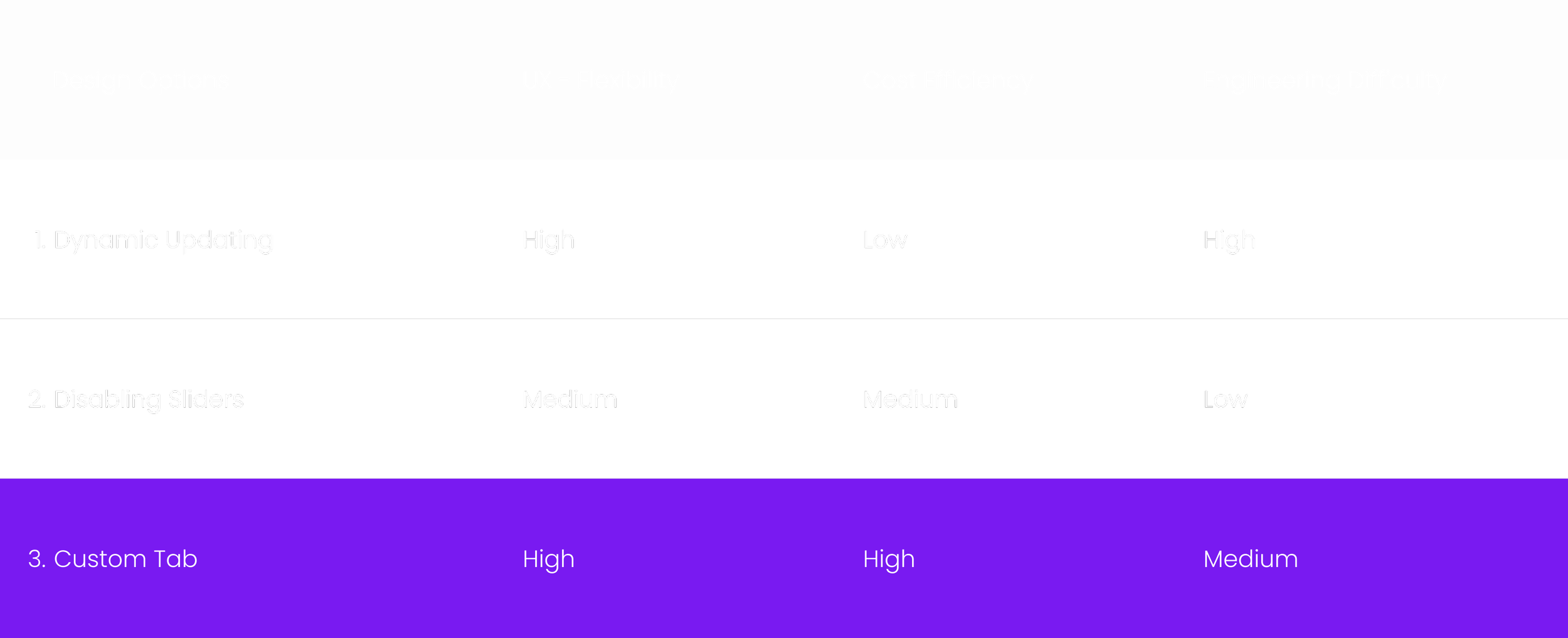
To solve this problem, I came up with three design options.
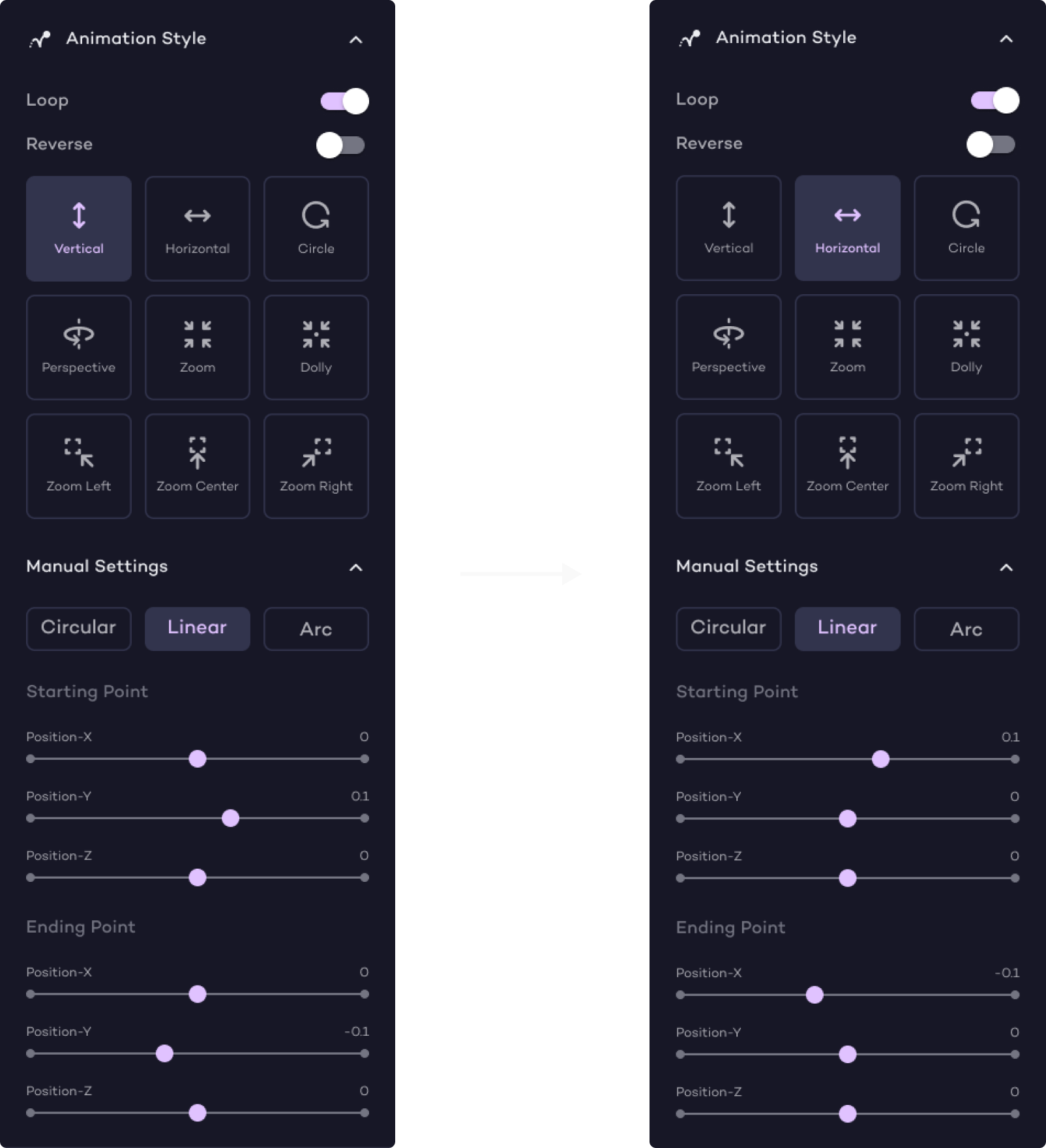
Option 1
Dynamic Updating of Animation Style Tab
Implement a dynamic system where the animation style tab updates to match the animation movement controlled by the sliders.
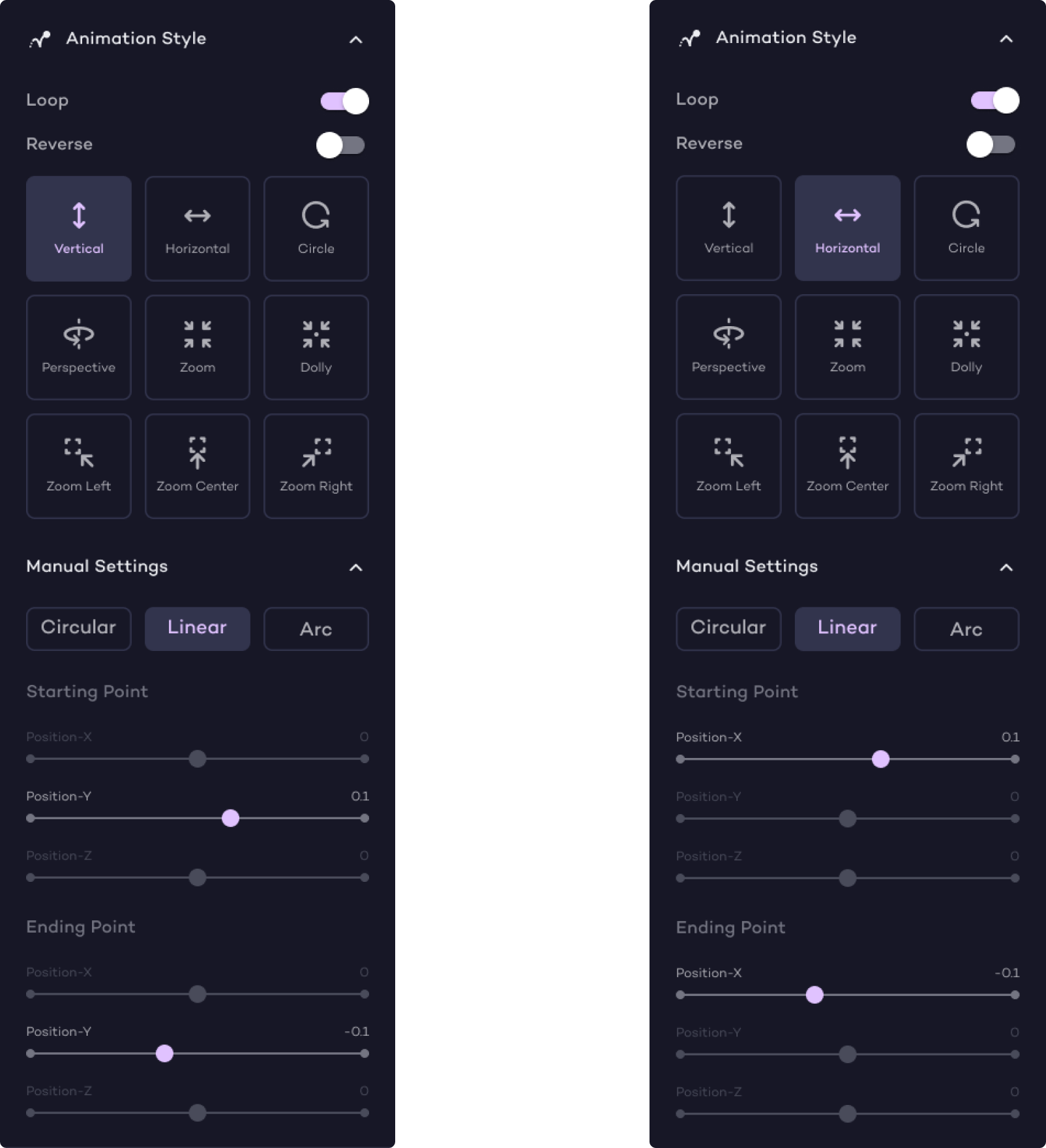
Option 2
Disabling the Irrelevant Axis Slider
Automatically disable sliders for irrelevant axes when a specific animation style is selected. For example, if the user selects the 'Vertical' style, the X and Z axis sliders will be disabled.
Option 3
Adding a New 'Custom' Animation Style Tab
Introduce a new 'Custom' animation style tab. When users adjust any of the axis sliders, it will automatically switch to the 'Custom' tab, allowing users to fine tune their animation without the constraints of pre-set styles.
Making a Compromised Design Decision
We discussed the three options with the engineering team. They confirmed that Dynamic Updating would be technically challenging and could affect performance. Disabling Sliders, while easy to implement, would limit user options. The Custom Tab was identified as the best solution, offering a good balance of user flexibility and technical feasibility. This kind of decision matrix made it easier to show the team why the third option is optimal.
Deliverables
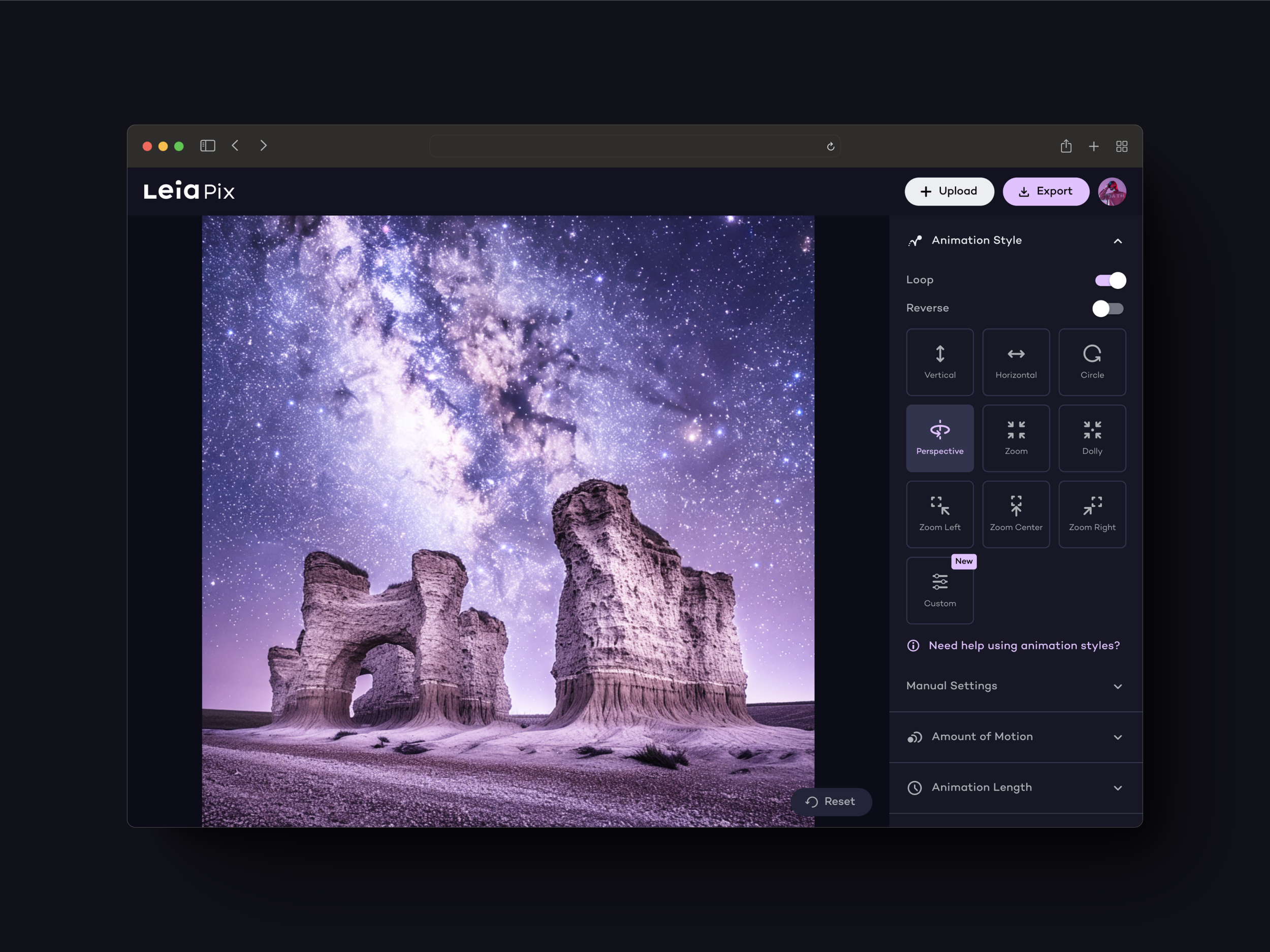
Enhanced User Experience Through Interface Overhaul
We improved the user experience by logically reorganizing functions. This arrangement ensures that commonly used features are easily accessible, and less common tools are still within reach but not obstructive. Related features like Animation Style and Amount of Motion are grouped together for easy adjustment of animation parameters and depth. Moreover, redesigned icons and labels enhance clarity, making it easier for users to locate and utilize necessary features.
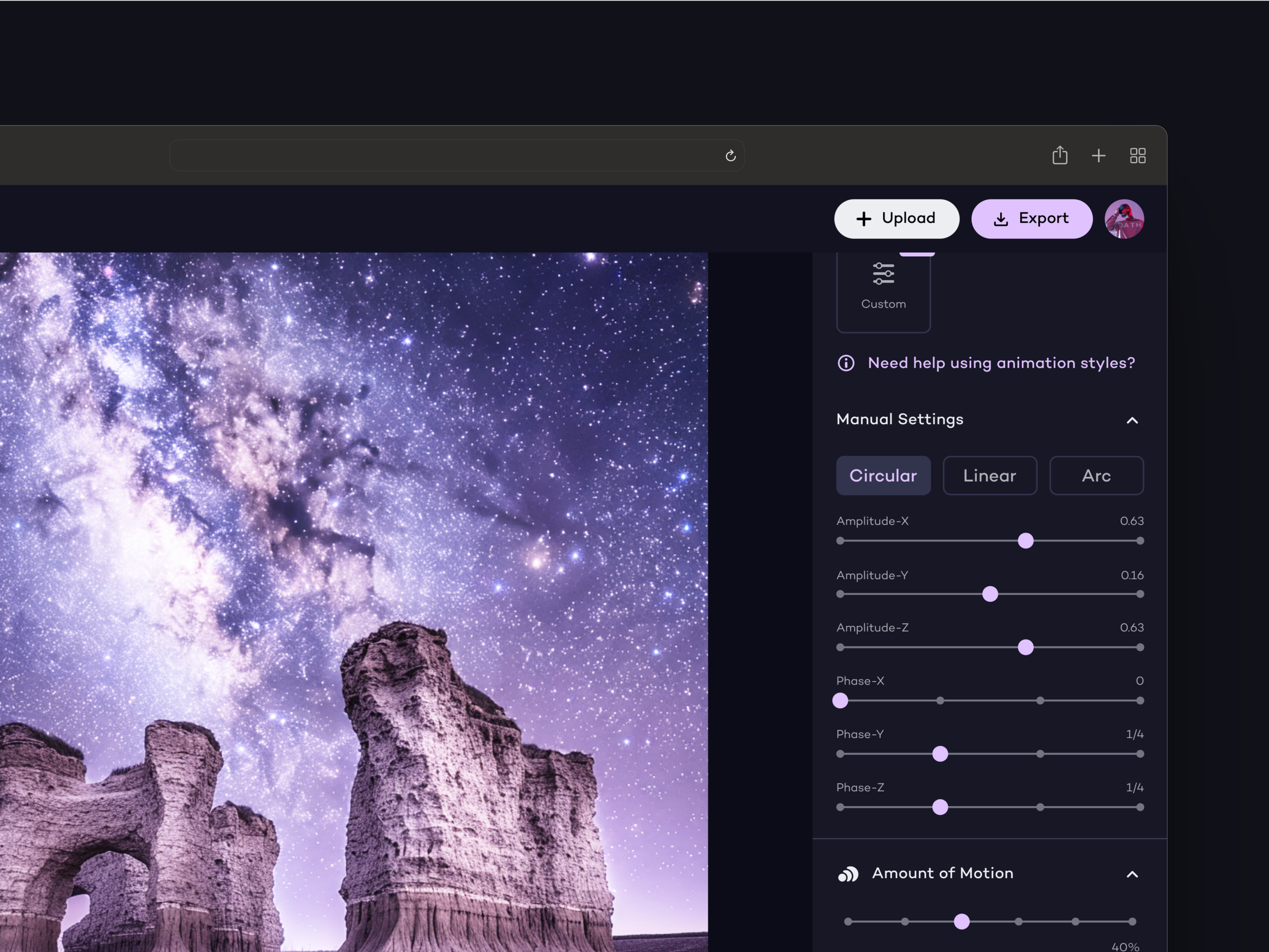
Advanced Control with Manual Settings and Customization
Previously, LeiaPix offered simple animation presets. We've now implemented a new layer of Manual Settings allowing for more granular control over animations, from adjusting depth fields to fine-tuning movement. These options are designed to be non-intrusive, ensuring new users aren't overwhelmed by complexity while experienced creators can still find the tools they need.
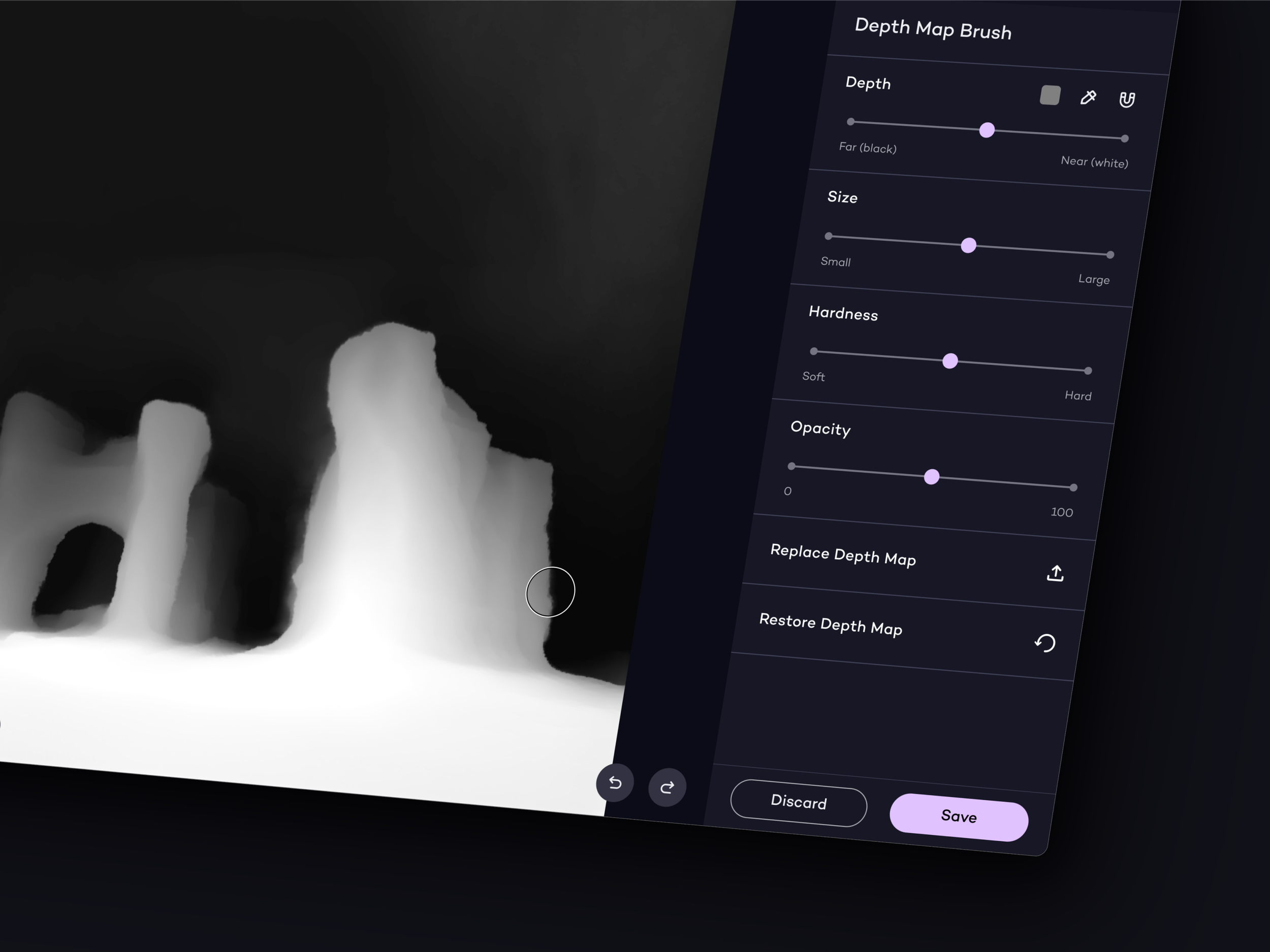
Undo/Redo Capabilities for Seamless Editing
We added features like undo/redo capabilities and a restore function in the depth map editor to support user experimentation, as there was previously no way to undo accidental actions. This approach allows users more freedom to navigate and perform actions.
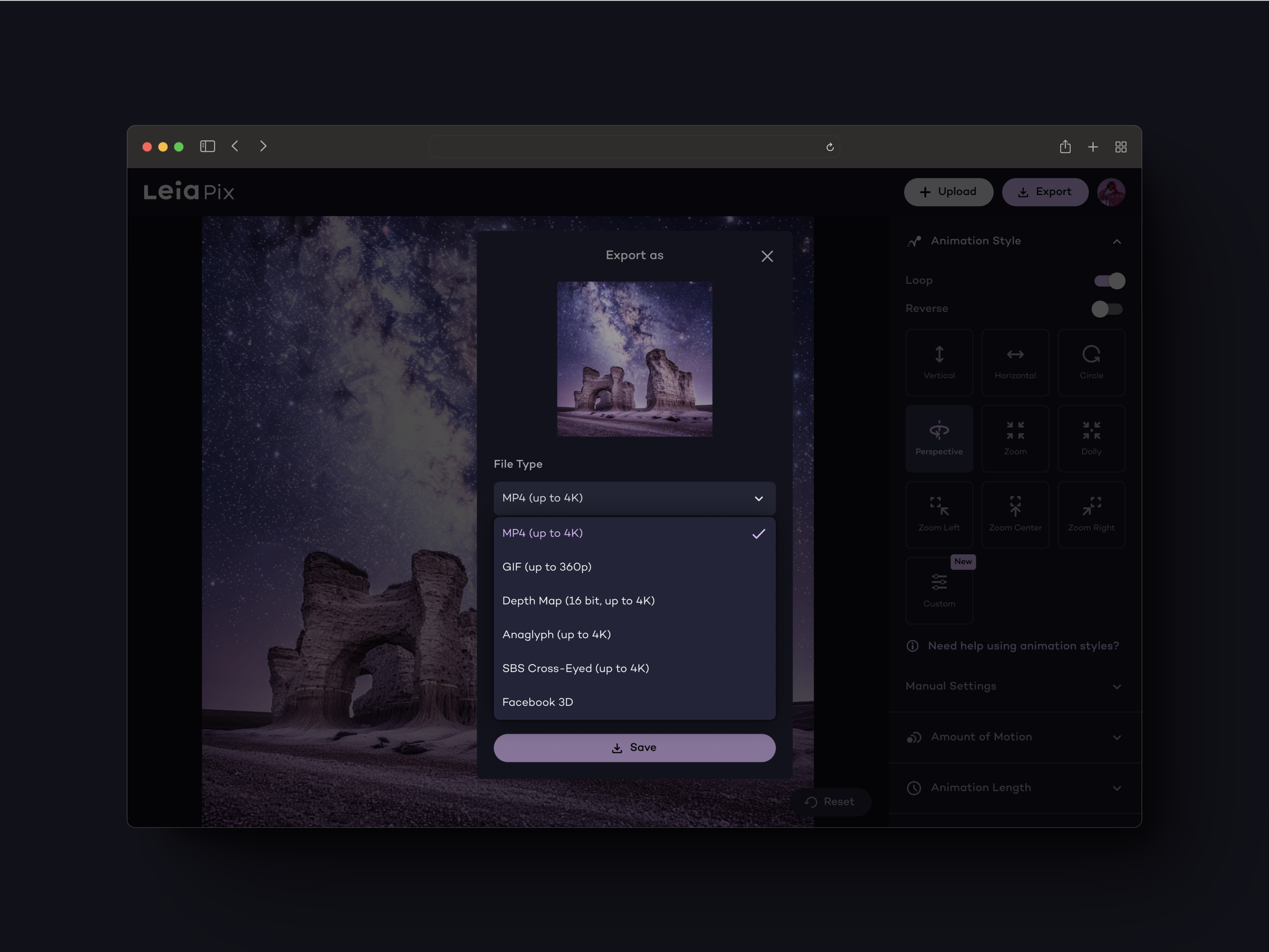
Streamlined Content Sharing with Optimized Exporting Process
We optimized the exporting process to accommodate various platforms, featuring a wide range of file types and resolution settings. These improvements ensure users can effortlessly share their animations across social media, e-commerce sites, and digital galleries, enhancing LeiaPix's usability and appeal as a comprehensive tool for content creation.
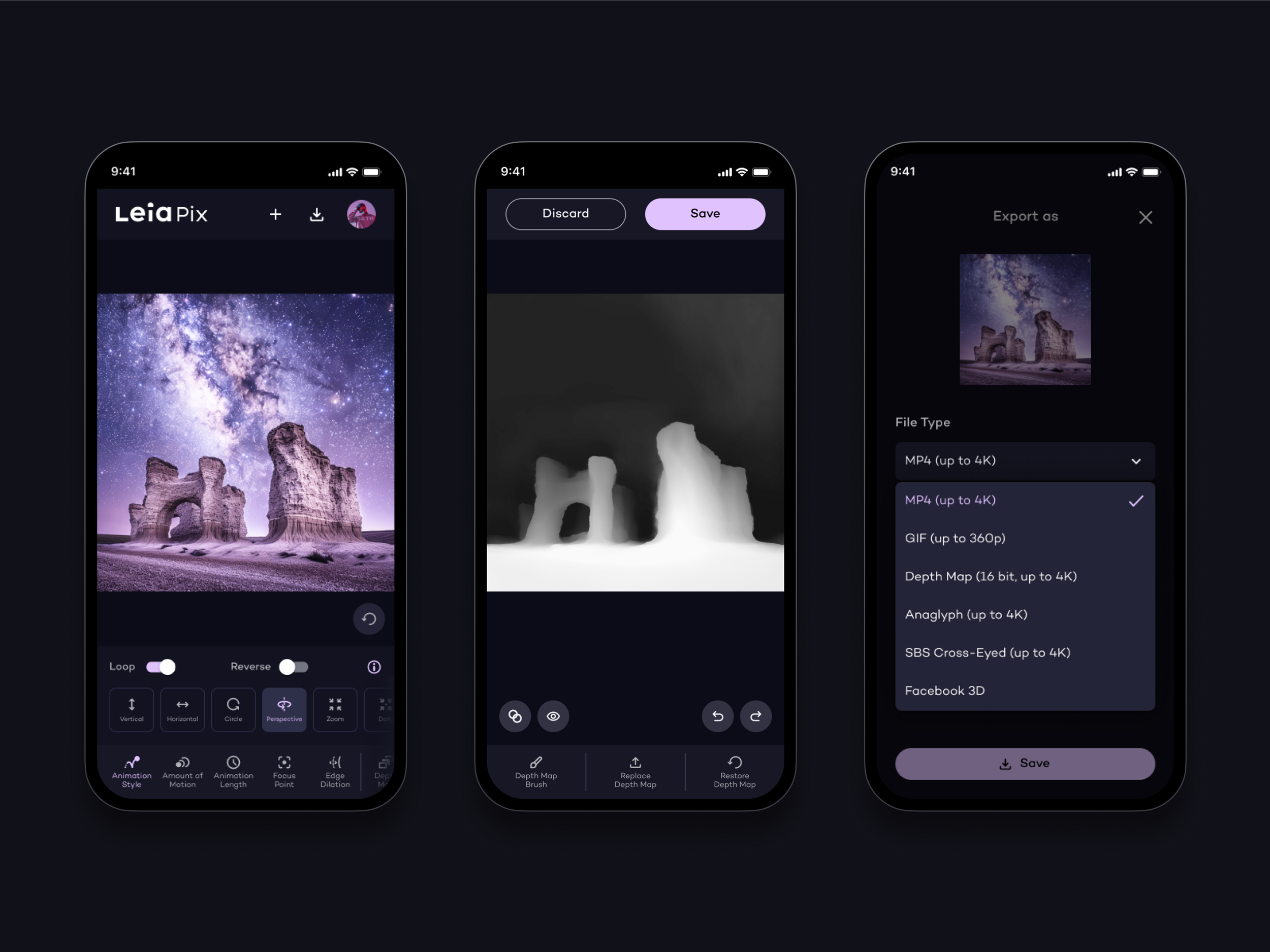
Optimized Mobile Experience
We have enhanced LeiaPix's interface for both mobile and desktop devices. The revamped mobile interface is now more responsive and accessible, making content creation on-the-go easier. With a task-oriented design, it displays only essential options and features, reducing clutter and enhancing the user experience on smaller screens.
Results
The revamped LeiaPix platform has significantly enhanced user engagement and retention. Despite working within constraints and maintaining most of the UI elements and tools, early metrics indicate a 8% increase in daily active users and 11% longer session times. User feedback has also been more positive. Users now find it easier to navigate the tool and achieve their desired animation results more efficiently.